Hardware (SA818)
The Hardware page sets up radio hardware attached to the server. Its SA818 radio tab programs the SA818 (or DRA818) transceiver module built into the SHARI and similar node interfaces. It does the same job as sa818-menu and uses the same settings file, /etc/sa818.conf. See SA818 Modules for background.
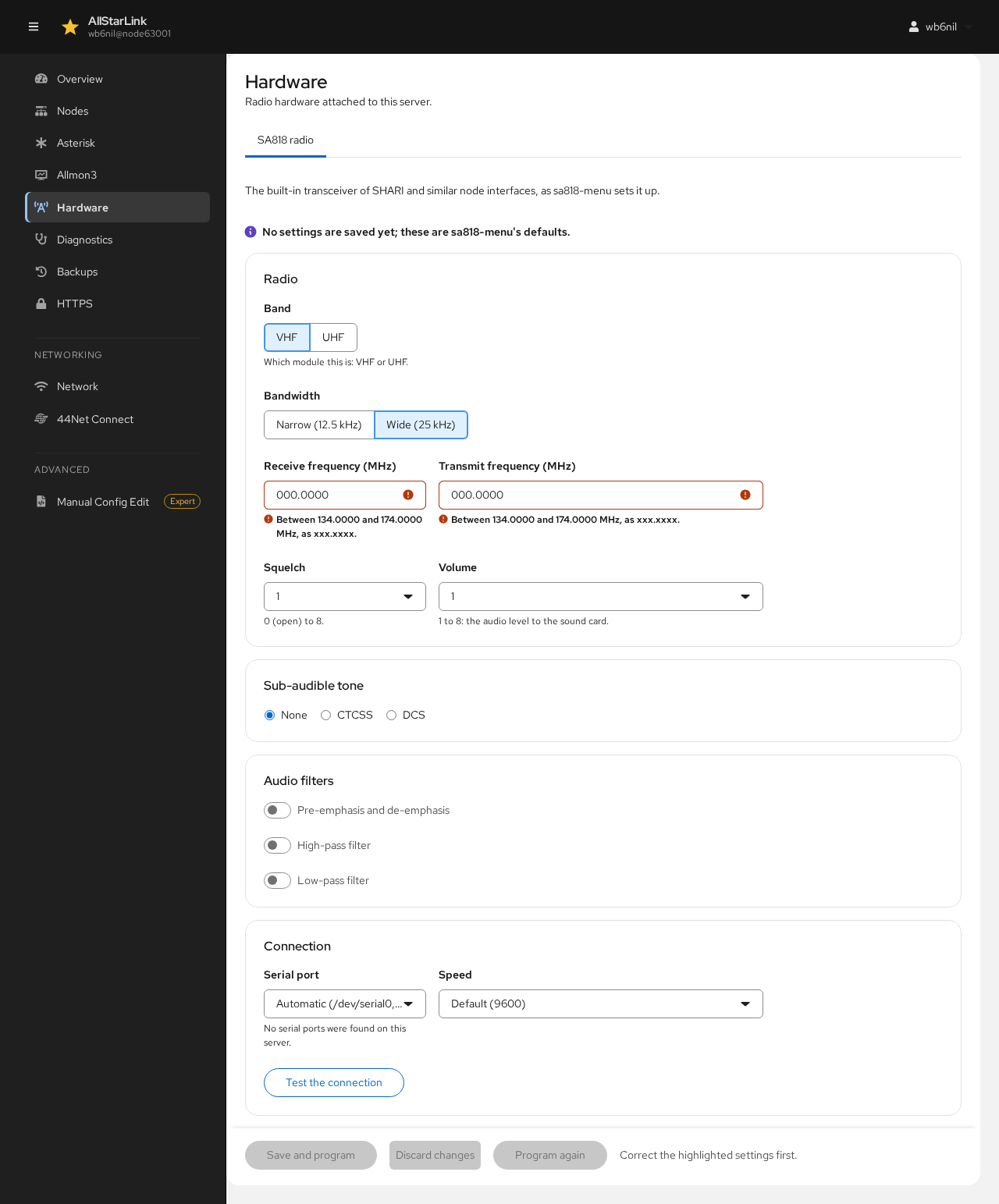
Until settings are saved, the page shows sa818-menu's defaults.
Radio
- Band: whether the module is the VHF or UHF version.
- Bandwidth: Narrow (12.5 kHz) or Wide (25 kHz).
- Receive frequency (MHz) and Transmit frequency (MHz): within the module's band (for example 134.0000–174.0000 MHz for VHF), in the form
xxx.xxxx. - Squelch: from 0 (open) to 8.
- Volume: from 1 to 8, the audio level to the sound card.
Sub-Audible Tone
Choose None, CTCSS or DCS, then the tone or code. With CTCSS, CTCSS reverse burst (tail tone) can be Closed (sa818-menu's default) or Opened.
Audio Filters
Turn the module's Pre-emphasis and de-emphasis, High-pass filter and Low-pass filter on or off.
Connection
- Serial port: the port the module is connected to. Automatic tries
/dev/serial0, then/dev/ttyUSB0. - Speed: the serial speed; the default is 9600.
Test the connection checks that the module answers, without changing it.
Saving
- Save and program saves the settings and programs them into the module.
- Discard changes goes back to the saved settings.
- Program again sends the saved settings to the module again, for example after replacing it.
The module's settings are separate from the node's audio levels. Set those on the node's Tuning tab.